Event Session Scheduling: QR Code Registration for Multi-Track Conferences
Multi-track conferences create scheduling chaos: three breakout sessions run simultaneously at 2pm, attendees register for sessions they can't attend, rooms fill beyond capacity, and organizers have no idea which sessions to prioritize. Conference planners need session registration that prevents double-booking, enforces capacity limits, and gives real-time visibility into which sessions are filling up. Manual session sign-up sheets don't scale beyond 50 attendees and provide no advance planning data.
QR Sage enables event session scheduling through QR code registration forms. Attendees select their preferred breakout sessions during event registration, the system enforces capacity limits automatically, and organizers see real-time session attendance counts. When attendees check in at each session, staff scan their QR code to verify they're registered for that specific time slot. This step-by-step guide shows you how to set up session scheduling for multi-track conferences, workshops with limited capacity, and corporate training events.
What Is Event Session Scheduling with QR Codes?
Event session scheduling is a registration system that lets attendees choose specific breakout sessions, workshops, or time slots during multi-track events. Instead of open seating where attendees show up to whichever session they want (causing overcrowding in popular sessions and empty rooms in others), session scheduling requires pre-registration with capacity enforcement.
QR code session scheduling works like this:
- During event registration, attendees see available session time slots (e.g., "2:00pm - Track A: AI in Marketing" with 45/50 seats remaining)
- They select their preferred sessions from available options
- The system validates they're not double-booked (can't register for two 2pm sessions)
- Once capacity is reached, sessions show "Full" and prevent additional registrations
- Attendees receive a QR code containing their session selections
- At each session, staff scan attendee QR codes to verify registration and track actual attendance
This system is essential for conferences with 3+ concurrent tracks, workshops with limited equipment/seating, corporate training with breakout groups, or any event where capacity management and attendance tracking matter.
How to Set Up Event Session Scheduling: Step-by-Step
Follow these 4 steps to create session scheduling for your multi-track event with QR Sage:
Step 1: Add Session Selection to Your Event Registration Form
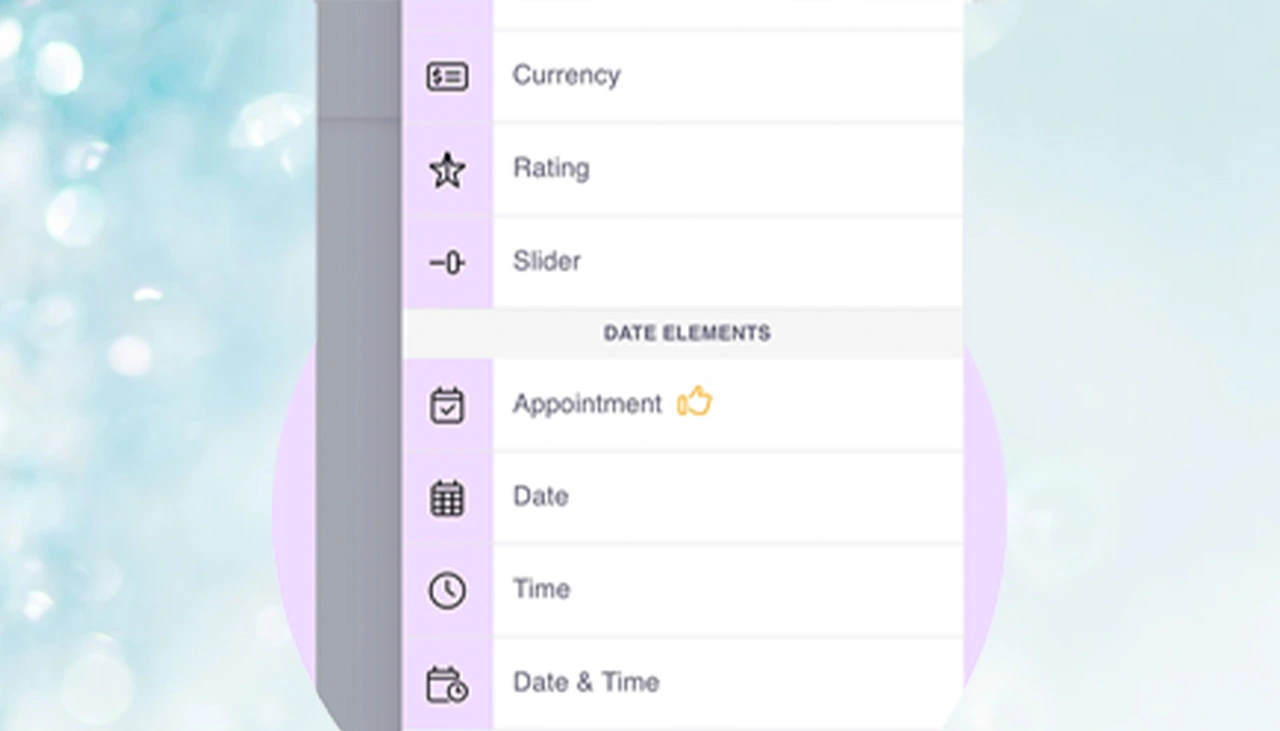
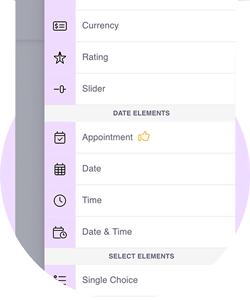
Navigate to your event registration form template and add an "Appointment" or "Session Selection" field. This field type is specifically designed for time-based scheduling with capacity limits. Configure the field to display your conference sessions as selectable time slots. For example, if you're running a conference with three breakout sessions at 2pm, create three appointment options: "Track A: AI in Marketing (2:00-3:00pm)", "Track B: Data Analytics (2:00-3:00pm)", "Track C: Customer Success (2:00-3:00pm)". The field will show availability in real-time as attendees register—when Track A reaches 50 registrations (your set capacity), it automatically displays as "Full" and prevents additional bookings.
Step 2: Configure Session Schedules, Duration, and Capacity Limits
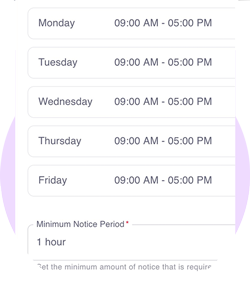
Set up your complete conference schedule with precise time slots and capacity controls. For each session, define:
- Session name and description: "Track A: AI in Marketing - Learn how AI is transforming digital campaigns"
- Time slot: Start time (2:00pm) and duration (60 minutes)
- Capacity limit: Maximum attendees (50 for a room with 50 seats)
- Speaker/location: Optional details like room number or speaker name
- Prerequisites: Mark sessions as beginner/advanced or require specific prior sessions
Create sessions for all time slots throughout your conference. For a full-day event, you might have: Morning Keynote (9am, 500 capacity), Morning Breakouts (10am, 3 tracks × 50 capacity each), Lunch Sessions (12pm, 2 tracks × 30 capacity), Afternoon Breakouts (2pm, 3 tracks × 50 capacity), Closing Keynote (4pm, 500 capacity). The system prevents attendees from selecting overlapping sessions automatically.
Step 3: Attendees Book Sessions During Event Registration
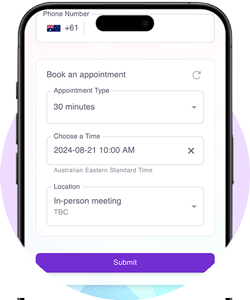
When attendees complete your event registration form, they see the session selection interface showing all available time slots with real-time availability. The interface displays sessions organized by time block with clear capacity indicators:
10:00am Breakout Sessions (Choose 1):
- ○ Track A: AI in Marketing (45/50 seats remaining)
- ○ Track B: Data Analytics (12/50 seats remaining)
- ● Track C: Customer Success (FULL - Waitlist Available)
As attendees select sessions, the system validates they haven't chosen conflicting time slots. Once they submit registration, their session selections are locked in and they receive a QR code containing their complete schedule. This QR code serves as their event ticket AND their session pass—one code for check-in and all session verifications throughout the conference.
Step 4: Track Session Attendance and Send Automated Notifications
During your event, staff or volunteers at each session entrance scan attendee QR codes to verify session registration. The scanning interface immediately shows:
- ✓ Attendee is registered for this specific session → Allow entry
- ✗ Attendee is NOT registered for this session → Redirect to correct room or waitlist
- Real-time session count: "38 of 50 registered attendees checked in" (helps determine if you should delay start)
The system sends automated notifications to both organizers and attendees:
- For organizers: Real-time alerts when sessions reach 90% capacity, when registered attendees check in, or when sessions are under-subscribed
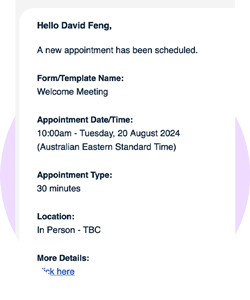
- For attendees: Confirmation emails with their session schedule, reminder notifications 15 minutes before each session, room change alerts if needed
After your event, export complete session attendance data: registration vs. actual attendance by session, no-show rates, most popular sessions, attendee engagement scores (how many sessions each person attended). Use this data to plan future events, identify high-demand topics, and optimize your conference schedule.
Benefits of QR Code Session Scheduling for Events
Prevent Overcrowding and Room Capacity Issues
Without session registration, popular conference sessions fill beyond capacity—attendees standing in doorways, fire code violations, disappointed participants turned away. Session scheduling enforces room capacity limits automatically. When Track A reaches 50 registrations (matching the 50-seat room), the system prevents additional bookings and suggests alternative sessions. This ensures every registered attendee has a guaranteed seat and prevents the "too many people, not enough space" problem that plagues open-seating conferences.
Optimize Event Schedule Based on Real Demand
Session registration data tells you BEFORE your event which topics are in high demand. If "AI in Marketing" has 200 registrations while "Email Best Practices" has 12, you know to move AI to a larger room or add a second session. This pre-event visibility lets you optimize room assignments, add popular sessions, cancel under-subscribed ones, or shift resources where demand is highest. Traditional open-seating conferences only discover session popularity on event day—too late to make changes.
Track Actual Session Attendance vs. Registration
Knowing 50 people registered for a session doesn't tell you how many actually showed up. QR code scanning at session entrances tracks real attendance. This data reveals patterns: "Morning sessions have 85% show-up rate while afternoon sessions drop to 60%", "Sessions after lunch see 30% no-shows", "Beginner sessions have higher attendance than advanced sessions". Use these insights to schedule high-priority content during high-attendance time slots, build in buffer capacity for popular topics, and plan future conference schedules based on actual attendee behavior, not assumptions.
Seamless Integration with Event Registration
Session scheduling integrates directly into your event registration workflow—attendees select sessions while registering for the conference, not through a separate system. One registration form collects: basic attendee info (name, email, company), ticket type (general admission, VIP), session preferences, dietary restrictions, and all other event data. Attendees get ONE QR code that serves as their event ticket, session pass, and badge. No separate session registration system, no additional logins, no disconnected workflows.
Ready to add session scheduling to your next multi-track conference? QR Sage integrates session registration directly into your event registration workflow. Attendees select their preferred breakout sessions during sign-up, the system enforces capacity limits automatically, and you track real-time session attendance throughout your event. Join the 2,000+ events already using the platform for event ticketing, registration, and session management.
Get started free—no credit card required. Create your first multi-track event with session scheduling in under 10 minutes with QR Sage. Set up breakout sessions with capacity limits, enable attendee session selection during registration, and track attendance in real-time. Eliminate overcrowding and optimize your conference schedule based on actual demand.