Event Materials Distribution: Share Presentations, Schedules & Photos via QR Code
Printing hundreds of event programs wastes money and paper. Emailing presentation slides to attendees creates inbox overload and version confusion. USB drives cost $3-5 each and get lost. Conference organizers need a better way to distribute event materials—schedules, speaker presentations, venue maps, attendee lists, post-event photos, and digital resources—without the hassle of physical distribution or complicated file-sharing platforms.
QR Sage lets you share event materials through scannable QR codes. Upload presentation slides, event schedules, venue maps, or photo galleries—then generate a QR code that attendees scan to access everything instantly. No app downloads, no login requirements, no USB drives to distribute. Attendees scan the QR code with their phone camera and download materials directly. This step-by-step guide shows you how to set up event materials distribution with QR codes for conferences, workshops, and corporate events.
Common Event Materials to Share via QR Code
Event QR codes are perfect for distributing:
- Conference presentation slides: Speaker PowerPoints, PDFs, Keynote files—attendees scan to download instead of requesting copies later
- Event schedules and agendas: Digital programs with session times, speaker bios, room assignments—update in real-time if sessions change
- Venue maps and directions: Floor plans, parking maps, local restaurant guides—especially useful for multi-building conferences
- Post-event photo galleries: Professional event photos, candid shots, group photos—share the QR code so attendees can download memories
- Workshop materials and resources: Training handouts, exercise files, reference guides, templates—everything participants need for hands-on sessions
- Attendee and exhibitor lists: Contact directories for networking—who attended, companies represented, booth locations
- Sponsor and exhibitor materials: Product catalogs, brochures, videos—sponsors provide files, you share them via QR codes at their booths
- Certificates and documentation: Attendance certificates, CEU credits, completion documents—attendees download official records
How to Share Event Materials with QR Codes: Step-by-Step
Follow these 4 steps to set up event materials distribution with QR Sage:
Step 1: Create an Event Materials Project
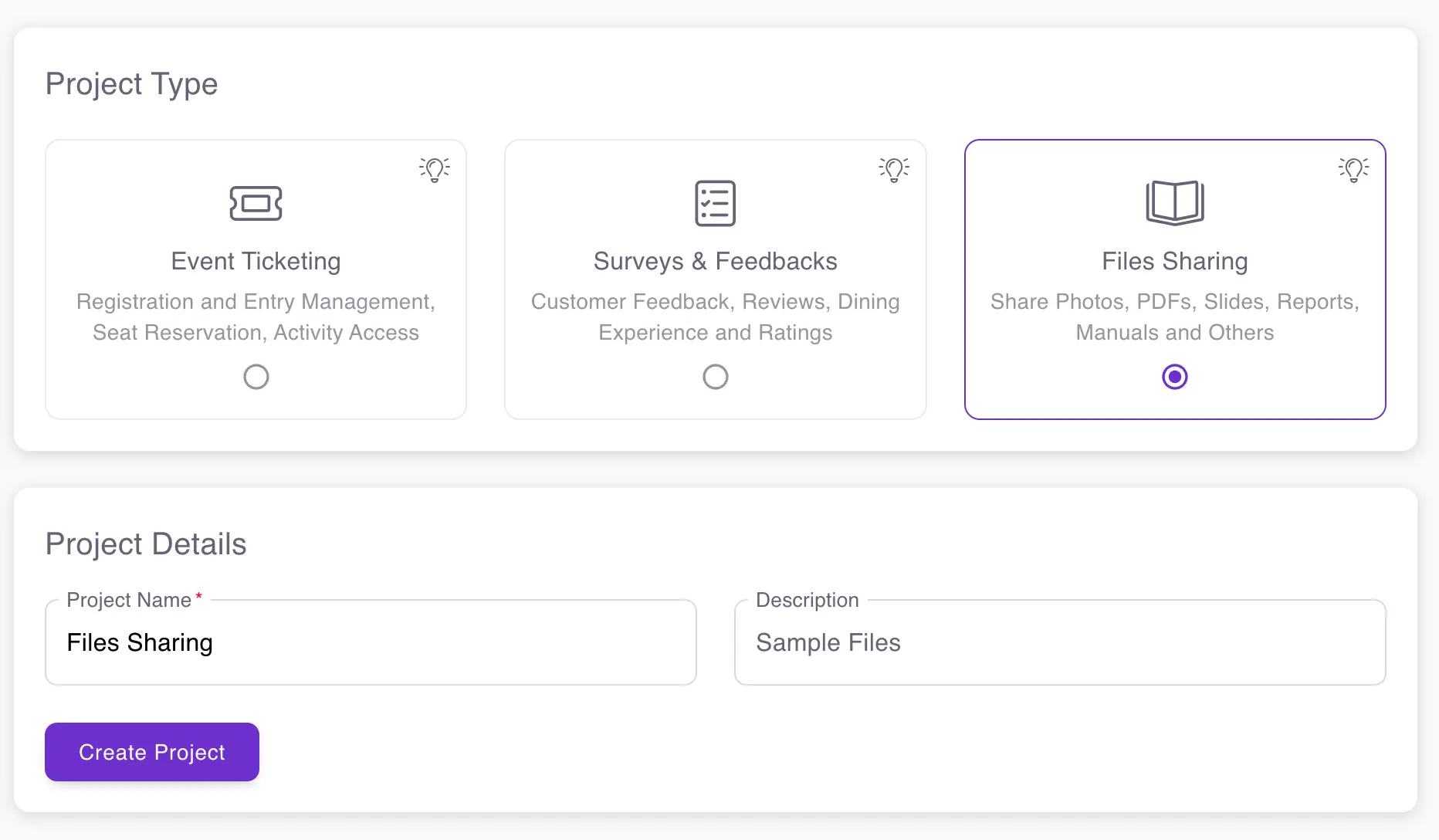
Create a new project and select "Files Sharing" as your project type. This enables the file upload and distribution features you need for event materials. Name your project after your event (e.g., "2026 Annual Conference Materials" or "Q1 Workshop Resources") to keep multiple events organized. The files sharing project type is specifically designed for distributing documents, presentations, photos, and other materials to event attendees through QR codes.
Step 2: Upload Your Event Files and Materials
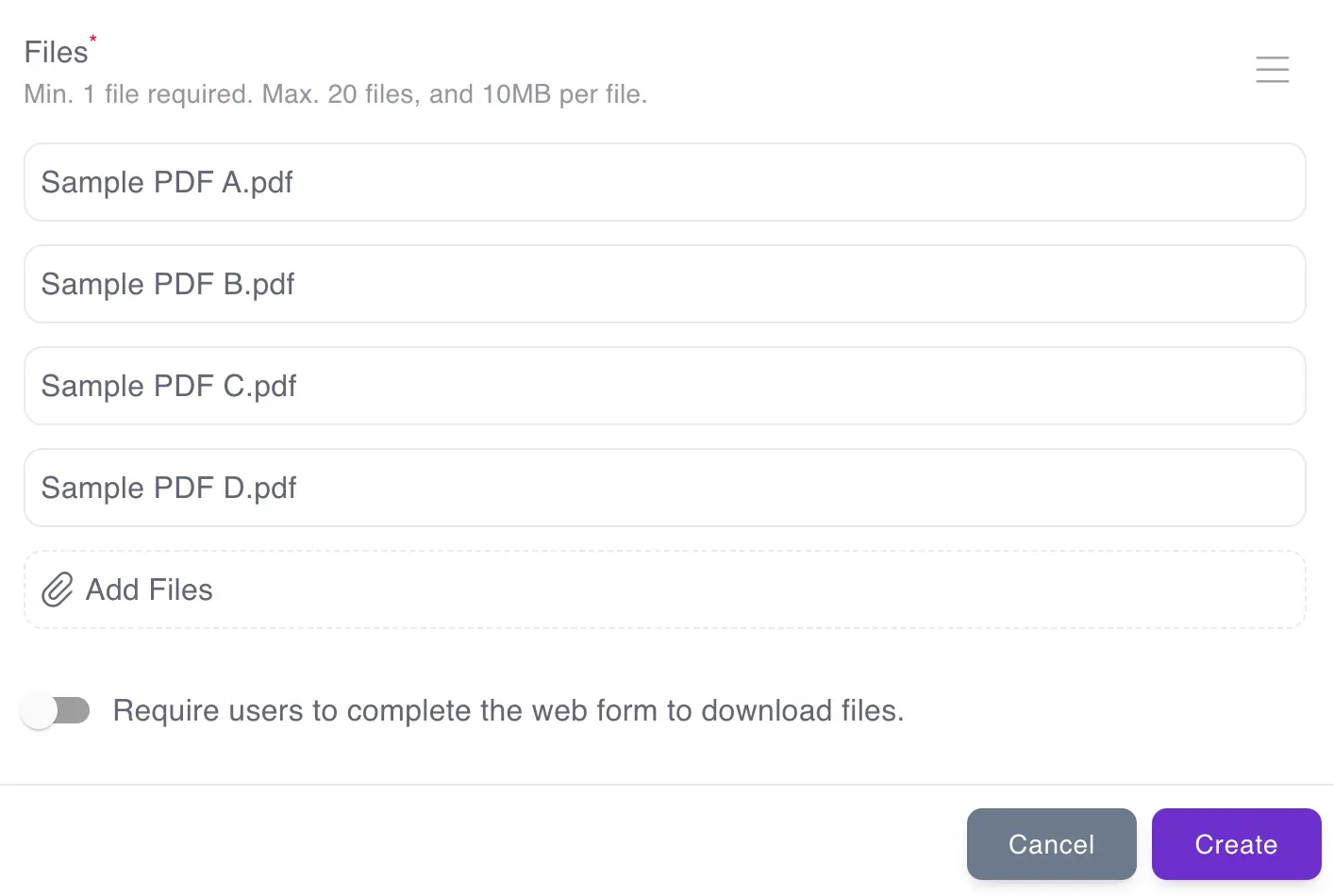
Navigate to the "Sharing" page and click the "+" button to create a new QR code for materials distribution. Upload your event files—you can include up to 20 files per QR code. This multi-file capability is perfect for conferences where you want to share multiple resources through a single QR code.
Organize your files logically before uploading. For example:
- One QR code for all keynote presentations
- Another QR code for breakout session materials (Track A, Track B, etc.)
- A separate QR code for event logistics (schedule, map, attendee list)
- A post-event QR code for photos and recordings
Use clear, descriptive file names (e.g., "Keynote-Johnson-AI-Trends-2026.pdf" instead of "presentation1.pdf") so attendees know what they're downloading. Supported file types include PDF, PowerPoint, Word, Excel, images (JPG, PNG), videos (MP4), and more.
Step 3: Download and Display Your Event QR Code
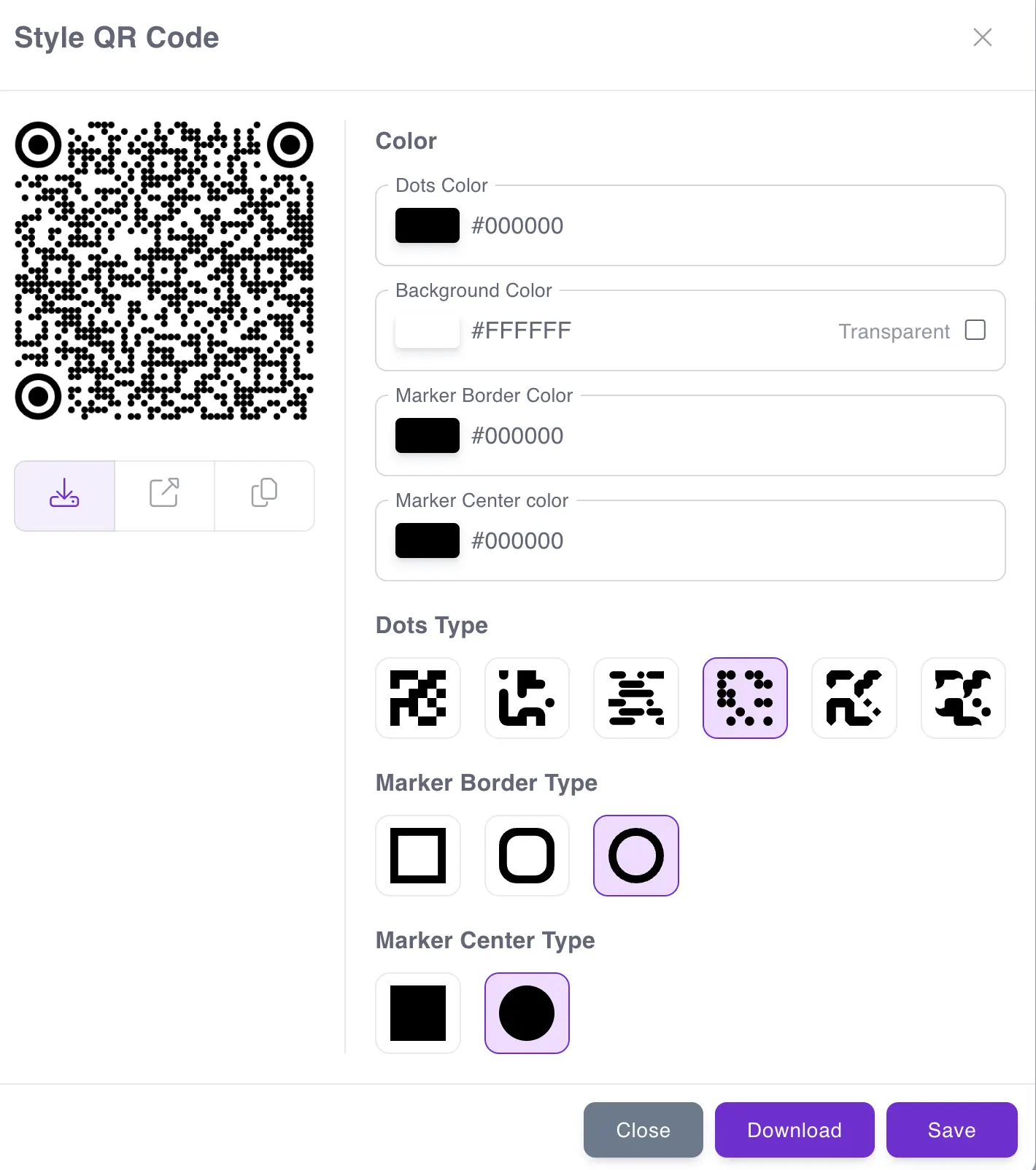
Click the QR Code icon next to your uploaded materials to download the QR code image. Now distribute this code to event attendees through multiple channels:
- Print on name badges: Include the materials QR code on attendee badges for easy access throughout the event
- Display on venue screens: Show the QR code on lobby monitors, session room screens, or registration kiosks
- Print on signage: Add to posters, table tents, banners with "Scan for Event Materials" messaging
- Include in emails: Send in pre-event communications or post-event follow-up emails
- Share on social media: Post for virtual attendees or as a post-event resource
- Add to session slides: Speakers can include the QR code on their final slide for instant material access
Pro tip: Create different QR codes for different material types (keynotes, breakouts, logistics) and label them clearly so attendees know what they're accessing before scanning.
Step 4: Attendees Scan QR Code and Download Event Materials
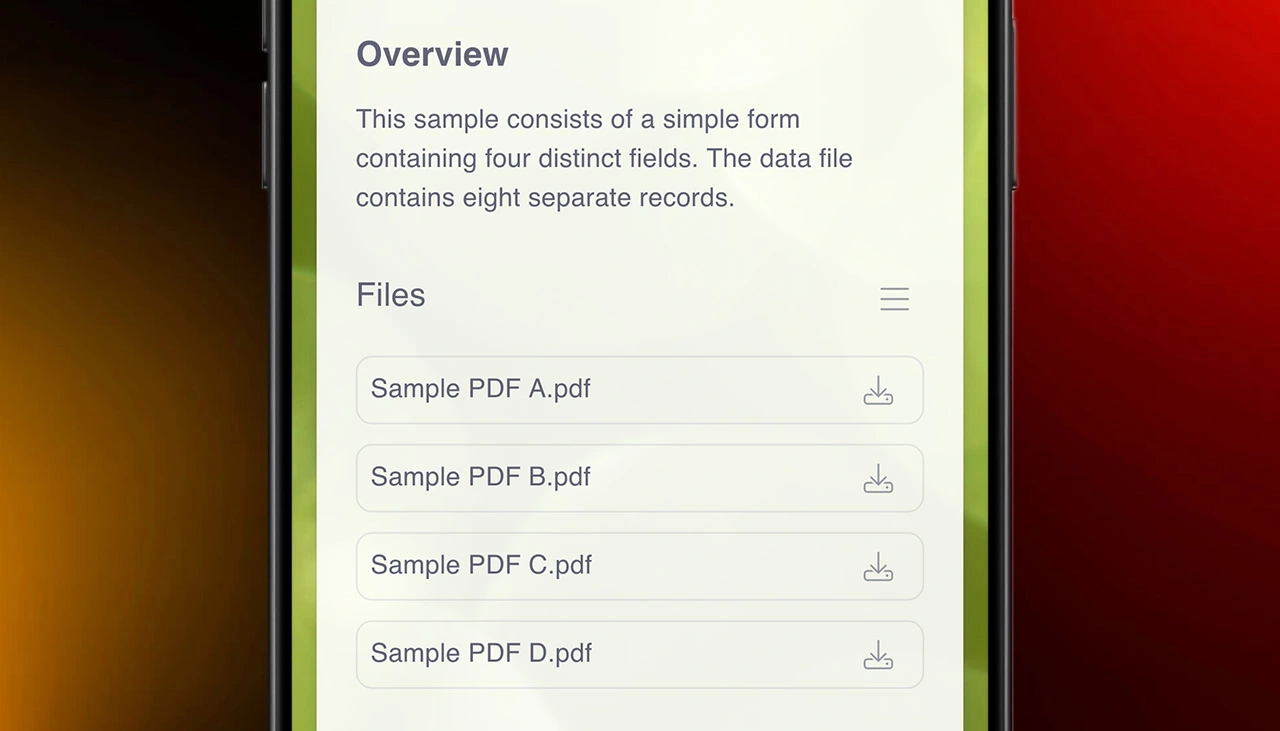
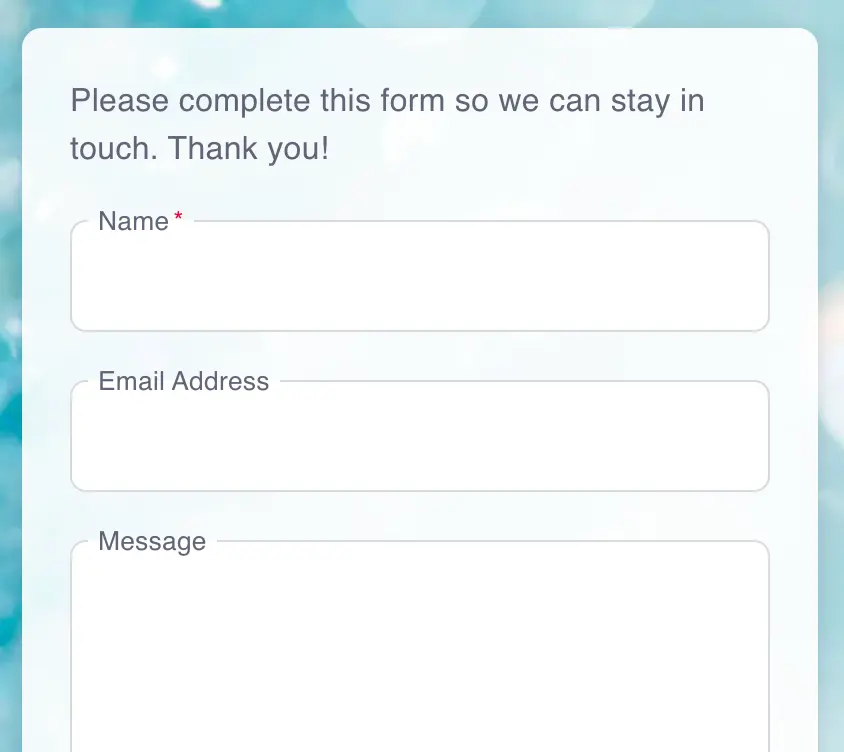
When attendees scan your event materials QR code with their smartphone camera, they see a simple download page listing all available files. They can download individual files or all materials at once—no app installation required, no login needed. Files download directly to their phone for offline access during or after your event. If you've set up a registration form (optional), attendees complete a quick form before accessing files—perfect for tracking who downloaded materials, collecting email addresses for follow-up, or gating premium content for registered attendees only.
Benefits of QR Code Event Materials Distribution
Eliminate Printing Costs and Waste
Printing 500 event programs at 20 pages each = 10,000 sheets of paper at $0.10/page = $1,000 in printing costs. Most attendees throw them away or leave them behind. QR code materials distribution eliminates this waste entirely—attendees get digital access to everything, and you save hundreds or thousands on printing. Update materials in real-time if session times change or speakers swap—impossible with printed programs already distributed.
Instant Access Without App Downloads
Event apps require attendees to download software, create accounts, and figure out navigation—adding friction before they get materials. QR codes work instantly with any smartphone camera. Scan → see files → download. No app store permissions, no account creation, no data plan required after download. This simplicity dramatically increases material adoption—when access is effortless, more attendees actually engage with your content.
Track Who Downloaded Materials
Add a simple registration form before file access to track which attendees downloaded which materials. See download counts, timestamps, and user information. This data tells you which sessions generated the most interest (measured by presentation downloads), which materials were most valuable, and provides email addresses for post-event follow-up. Sponsors and speakers can see how many people downloaded their materials—valuable ROI metrics for exhibitors.
Works for In-Person and Virtual Events
QR code materials distribution works equally well for in-person conferences (attendees scan physical QR codes at the venue) and virtual events (share the QR code image or direct link in virtual session chats). Hybrid events benefit most—one materials distribution system serves both in-person and remote attendees without separate workflows.
Ready to eliminate printed event programs and share materials digitally? QR Sage makes event materials distribution simple through scannable QR codes. Upload presentations, schedules, maps, photos, and resources—then share a single QR code that gives attendees instant access to everything. Join the 2,000+ events already using the platform for event ticketing, check-in, and materials distribution.
Get started free—no credit card required. Create your first event materials QR code in under 5 minutes with QR Sage. Upload files, generate QR codes, and distribute event materials digitally. Save thousands on printing costs while giving attendees instant access to presentations, schedules, and resources.