New Platform Updates: Enhanced Event Check-In, Badge Printing & Bulk Import
We've launched four major platform updates based on feedback from the 2,000+ events that use QR Sage for event ticketing, check-in, and attendance tracking. These new features solve the most common pain points event organizers face: slow check-in lines at entrances, manually creating hundreds of attendee badges, importing large guest lists one by one, and waiting until after events to see attendance data. Each update is designed to save hours of manual work while giving you better real-time visibility into your events.
Whether you're running a small workshop or a large-scale conference, these features make event management faster, more professional, and completely self-service. From self-service kiosks that eliminate check-in bottlenecks to printable badges with QR codes to bulk guest list import that processes hundreds of attendees instantly—here's what's new.
Self-Service Kiosk Mode: Attendee-Facing Event Check-In
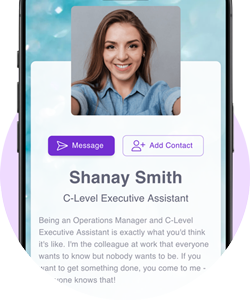
The biggest bottleneck at events? Check-in lines. When staff manually verify each attendee against a list, check-in takes 30-60 seconds per person. For a conference with 500 attendees, that's 4+ hours of cumulative wait time creating long entrance queues. Our new Self-Service Kiosk Mode eliminates this bottleneck entirely.
Set up tablets or monitors at your venue entrance as self-service check-in stations. Attendees scan their QR code tickets themselves—the kiosk verifies their registration instantly, logs attendance in real-time, and can trigger badge printing if connected to a printer. One staff member can monitor 4-6 kiosks instead of manually checking in each person. This self-service approach cuts check-in time from 30-60 seconds to 2-3 seconds per attendee, dramatically reducing entrance congestion and improving the arrival experience for your events.
Printable Badges with QR Codes: Professional Name Tags On-Demand
Creating professional event badges manually wastes hours: typing names into templates one by one, printing test sheets to get formatting right, scrambling to print last-minute registrations. Our new printable badge feature automates the entire process from registration to printing.
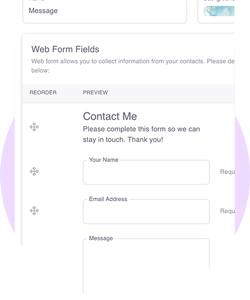
When attendees register for your event through the registration form, they upload their headshot photo and complete their profile (name, company, title, role). The system automatically generates a printable badge template that includes their photo, information, event branding, and a unique QR code. Print all badges before the event for pickup at registration, or print on-demand when attendees check in—perfect for walk-ins and last-minute registrations.
The QR code on each badge serves multiple functions throughout your event: scan at entrance for check-in, scan at sessions to track attendance, scan for meal access or VIP areas, or enable attendees to scan each other's badges to exchange contact information. All scanning activity logs in real-time, giving you complete visibility into attendee movement and engagement.
Bulk Guest List Import: Process Hundreds of Attendees Instantly
Already have a list of registered attendees from another system, a previous event, or a corporate database? Manually entering hundreds of names, emails, and details takes hours and introduces errors. Our bulk guest list import feature processes entire attendee lists in seconds.
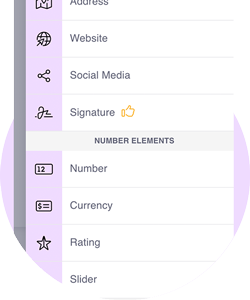
Upload your guest list as a CSV or Excel file—the system validates the data, generates unique QR code tickets for everyone simultaneously, and sends tickets via email or WhatsApp automatically. Whether you're importing 50 attendees or 5,000, the bulk import processes them all at once with no manual entry required. This feature is essential for invitation-only corporate events, pre-registered conferences, or when migrating from another event ticketing platform.
The bulk import supports all standard fields: name, email, phone, company, title, ticket type, dietary restrictions, and custom fields. You can also update existing attendee records or add new attendees to events in progress—perfect for last-minute VIP additions or speaker confirmations.
Real-Time Attendance Dashboard: Live Check-In Metrics & Records
Traditional event check-in gives you attendance data only after the event ends—when it's too late to make decisions. Our enhanced real-time attendance dashboard shows you live check-in metrics as your event unfolds, enabling you to respond immediately to what's happening.
See total registrations, current check-ins, who's arrived, who's missing, and check-in rates by hour—all updating live as staff scan QR codes. For multi-track events, track session attendance separately to see which sessions are filling up and which have available capacity. Need to open another check-in lane? The dashboard shows you exactly when entrance lines are backing up.
After your event, export complete attendance records as CSV files: who registered, who checked in, no-show rates, check-in times, session attendance, and full attendee details. Use this data for sponsor reporting (prove actual attendance numbers), speaker payments (based on session attendance), compliance documentation, CRM integration, or planning future events (identify patterns in registration vs. actual attendance).
Why These Updates Matter for Event Organizers
These four features address the most time-consuming aspects of event management—check-in, badges, data entry, and reporting. Together, they can save you 10-20 hours per event:
- Self-service kiosks cut check-in time by 90% (from 30-60 seconds to 2-3 seconds per attendee)
- Printable badges eliminate 10-15 hours of manual badge creation for events with 500+ attendees
- Bulk import processes 1,000 attendees in 2 minutes vs. 8+ hours of manual entry
- Real-time tracking gives you decision-making data during events instead of days later
More importantly, these features create a better experience for attendees: faster entry, professional branded badges, and seamless self-service that doesn't require staff assistance. When check-in is smooth and fast, attendees start your event with a positive impression instead of frustration from long entrance lines.
All four features are available now at no additional cost to QR Sage users. Whether you're on the free plan or a paid subscription, you can set up self-service kiosks, create printable badges, import bulk guest lists, and access real-time attendance dashboards for your events.
Try these new features at your next event. Get started free with QR Sage—no credit card required. Set up self-service kiosks, create professional badges with QR codes, import your guest list in bulk, and track attendance in real-time. Join the 2,000+ events already using the platform to manage event ticketing and check-in.
Trusted by 2,000+ events • 23,000+ tickets issued